PresentationAssistant
Whenever you run a command in Visual Studio, PresentationAssistant shows its name and every key binding it has, for a few seconds, just above the status bar. It is made for screen sharing, recording a demo, pairing and teaching, where your shortcuts would otherwise fly by unseen. It is just as useful for learning your own key bindings.
Holding a key, or pressing the same shortcut again, shows one line with a
count such as x9 instead of flashing nine times. The overlay
never takes focus, never appears in Alt+Tab, lets clicks pass through, and
hides itself.
- The default theme is built from your IDE's own colours, and follows a theme switch
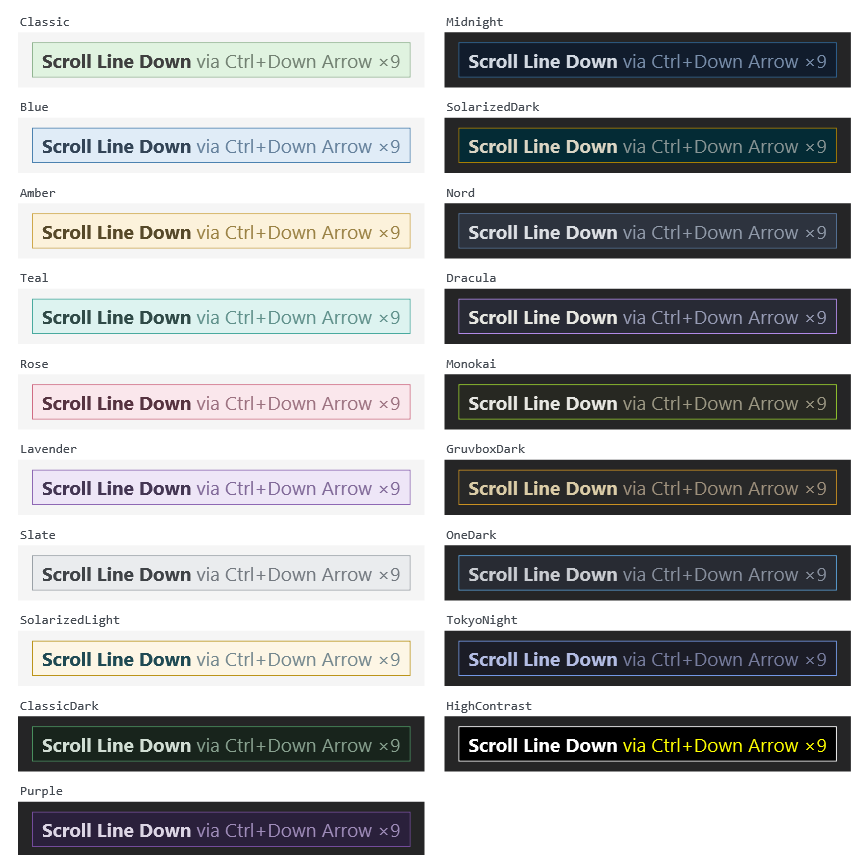
- Nineteen fixed palettes besides, from Classic to Dracula, Nord and High Contrast
- Your own colours, from a picker or
themes.json, with a live preview - Excluded commands, with
*patterns for the noisy ones - Font size, layout, how long it stays, and an option for bound commands only
- Settings kept as JSON, so they survive upgrades and copy between machines

Comments
Sign in with GitHub to leave a comment or reaction.